
Tools & Technology
An ever-increasing range of tools and technologies are available that can provide reassurance to a person at risk and their family/whānau/carers if they do get lost or go missing, they can be safely located.
Technologies used in New Zealand fall into seven different general types: Simple and Medical Identification, Mobile Phone, GPS and Bluetooth Trackers, Satellite Devices, Radio Frequency Devices (WanderSearch), and Boundary Alerts.
Trying more than one of the below examples can be effective, especially if you are working through which options work best for your situation.
Identification objects (cards, bracelets, or other items) could be useful if the person at risk keeps it with them whenever they go out. If they get lost they could show their ID to someone who can help by calling their contact person or police (as they may have been reported missing). There are many options available, from making your own to looking on the internet for suitable options.
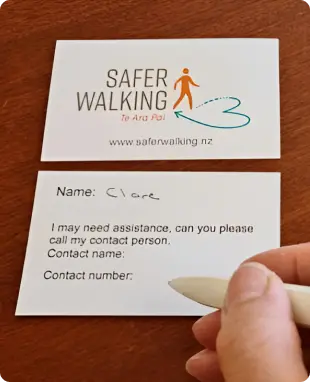
MedicAlert Foundation has a range of identification products including necklace, bracelets, and wallet cards.
For more information on MedicAlert and their products check out their website.


These are great, an easy way for a family to monitor the whereabouts of their family members if:
Agreement is given by the person at risk.
The person at risk keeps their cell phone with them whenever they go out.
The cell phone is kept charged (battery charging required once every 1 – 3 days depending on the use of the cell phone) and turned on.
Wherever the person at risk goes is within the cellular network coverage area.
The person at risk would generally need a mobile phone plan that includes sufficient data.
The person who is monitoring their family member will need internet access (or be within a cellular network and have data if using a cell phone).
Cell phones need to be carefully looked after; they can be easily broken if dropped onto hard surfaces.
There are a range of apps available including some that are free:
Online reviews of location sharing apps that may help in deciding what one will fit best, for example:
There are many GPS location devices available in New Zealand. These are a good option if cell phones are not. Things to consider are:
Agreement is given by the person at risk.
The person at risk will keep the device with them whenever they go out.
Form of the device – a wrist device / pendant / clipped onto belt / keyring and size / weight so it fits with the person’s lifestyle.
Some devices could be attached to a bike if the person always uses their bike to go out.
The device could stay in their handbag or as a belt clip or key-ring.
If the person always goes out with their pet dog then a device could be attached to the dog’s collar.
A child may always keep a special object such as a toy to which the device could be attached.
The device needs to be kept charged and turned on.
The battery will last between a few days to weeks depending on what functions are active on the device.
The person at risk stays within the cellular network coverage area. To check for coverage, see each Telcos’s coverage map:
Note: Increased coverage is available with compatible cellphone models and plans, however, always check with your provider if this applies to the phone and plan you have.
The person at risk would generally need to purchase the device and/or some form of data plan that includes sufficient data or pay a monthly fee to the GPS Tracker provider.
The person who is monitoring their family member will need internet access (or be within a cellular network and have data if using a cell phone).
If monitoring is provided via a provider monitoring service, there may be a limit on the number of alerts per month.
Devices need to be carefully looked after. Some may come with protective covers allowing them to be more robust.
What buttons are on the device – for example on/off and SOS alert that the person at risk can activate.
What features are available for example, geo-fencing alerts. A boundary may be able to be set and when the device moves beyond that “fence” an alert is sent.
The cellular network the device uses (3G being discontinued in NZ as of late 2025.)
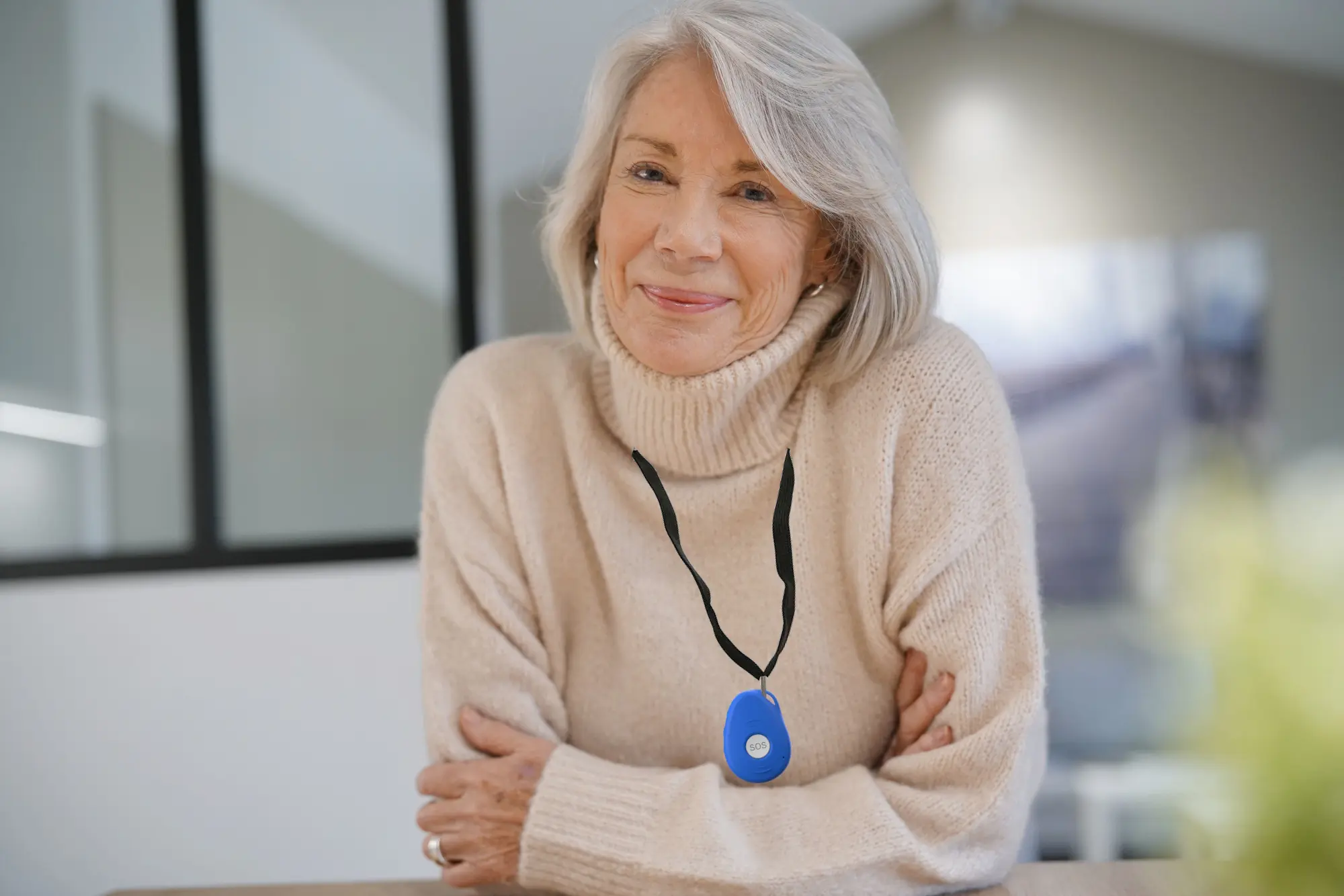
Familyr device – wearable device with alert for carers
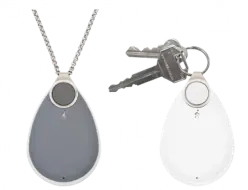
Medical alarms with GPS function
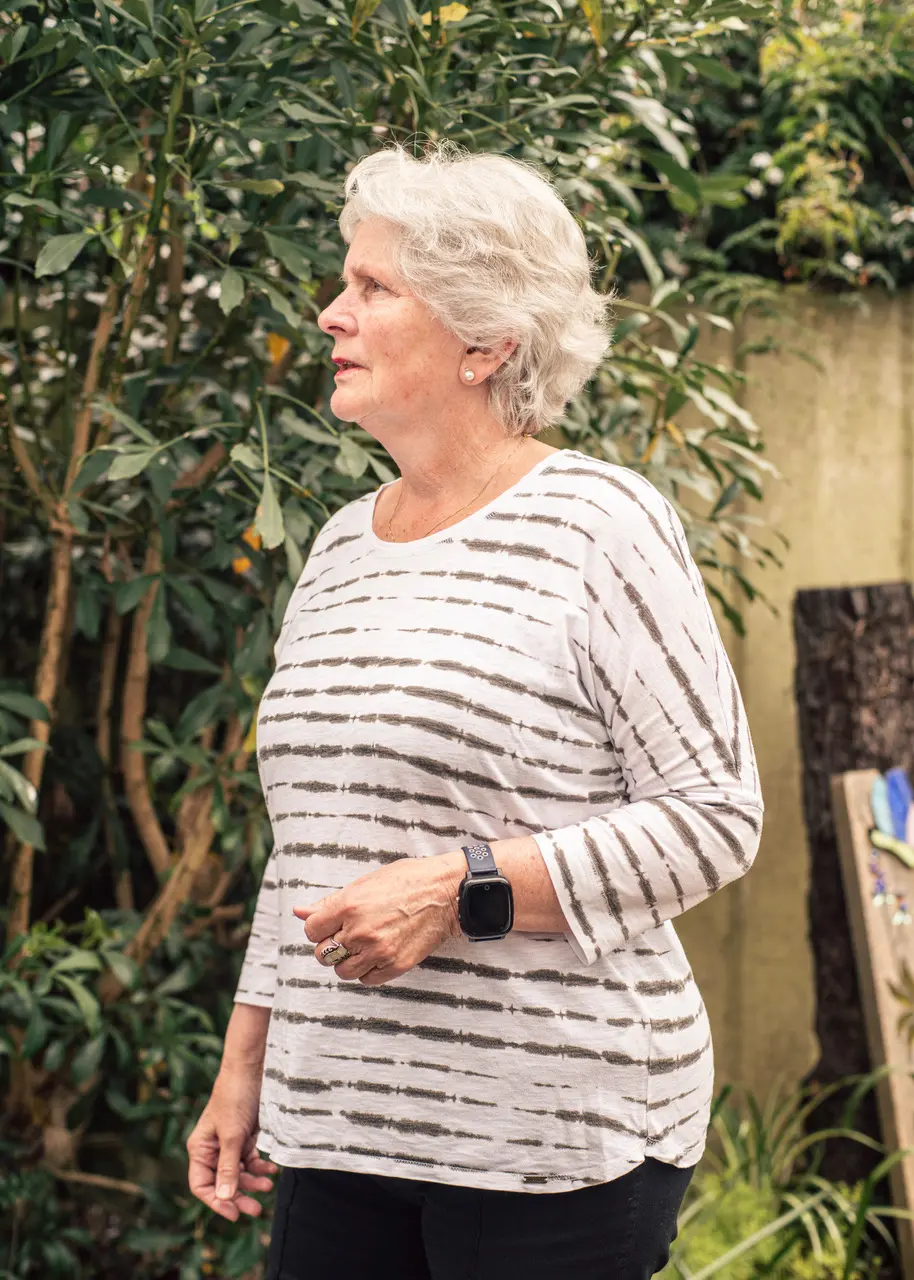
Guardian Support Services Watches with GPS function plus other safety features
ADT Home Assist beacons are a new offering. It is a mobile personal alert system and can be used for GPS location. It can also be used to make and receive calls with a limited number of contacts. This device is available from ADT Security or one of their agents. For more information and pricing for this device contact ADT Security or Security Alert.
Familyr – Familyr is a wearable personal alarm and GPS-enabled safety device. With a simple SOS button, it connects directly to up to 10 nominated family or friends and can also automatically detect falls, supporting faster response in emergencies. The built-in GPS lets carers locate the wearer in real time, and one of the only alarms in New Zealand that has geofence alerts to notify family if the person leaves a predefined safe zone or goes wandering. The device is self-contained, mobile, and works nationwide without apps or Wi-Fi. For information on this device and price visit the website.
Guardian Plus – Personal Safety Alarm is an offering from Direct Safety it can be used for GPS location. It has a number of other safety functions. It connects to the supplier’s 24/7 staffed Alarm Receiving Centre (ARC). For information on this device and price visit the website.
Guardian Support Services LifeGuard GPS – The LifeGuard range from Guardian Support Services offers a collection of self-managed devices with GPS, SOS, and two-way communication, designed to support safety, connection, and independence. Available as either a watch or pendant, each device can be tailored to suit your specific care requirements. These second-generation devices also incorporate BLE beacon technology, improving location accuracy indoors where traditional GPS can be limited. For further information, visit Guardian Support Services.
Medical alarms with GPS function these new alarms are able to be used outside of the home and have GPS location capability. For more information visit the St John or Freedom Medical Alarms websites.
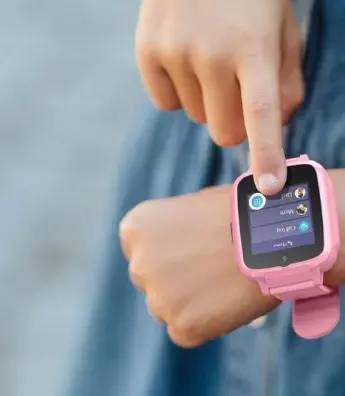
Spacetalk wrist device
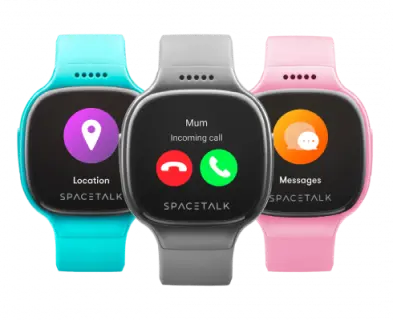
Spacetalk incoming call
There is more coming commercially available on the NZ market. Some allow you to communicate/talk with the person via a watch that is worn that requires a NZ sim card and allow GPS location, some only show GPS location of the watch on an app. As examples:
Spacetalk is a phone and GPS tracker in the form of a watch. The watches require a sim connection and active connection for calls. To find out more see their website.
Pixbee offer GPS watches with video calling that also requires an active sim connection. To see more click here.
To see which devices MSD currently fund please click here. Should you be eligible for WINZ funding or Disability Allowances please discuss your requirements with your case officer to see how MSD can assist with your individual situation.
Different Bluetooth devices are commercially available that are monitored by an app on a cellphone. Some of these devices are only compatible with certain models and makes of cellphones. Bluetooth devices work successfully for some people in some circumstances, however, have a smaller detection range (100-500m) and require several other users with the same app in the proximity of the device to provide a good quality signal. These devices are light, but can be broken easily.
Online review of Bluetooth devices may help in deciding what one may work best and the strengths and limitations of the different models. As an example read this review.
Apple Product users can use a device called the AirTag.
This is a small device designed to be attached to a key, wallet or other item. The AirTag uses Bluetooth technology for location. Apple iPhone with the Find My app can monitor the whereabouts of the AirTag.
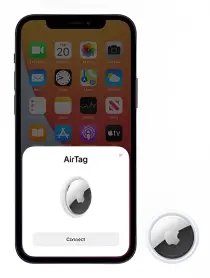
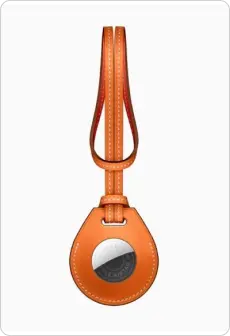
To find out what type of iPhone is required and for more information about the AirTag visit the Apple website.
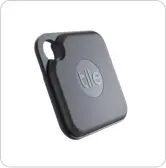
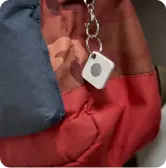
Tile Pro is a small Bluetooth device. It can be attached to keys, purses or belts. The tile can be located using the Life360 app on a mobile iOS and Android phone. The Tile Pro has a range up to 150m. Similar, to the AirTag, the detection range is extended where there are a network of other mobiles that also have the Life360 app.
To find out more about the Tile Pro and pricing visit Life360.
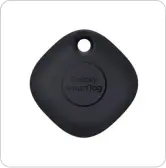
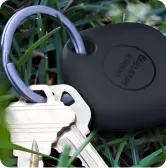
Samsung users can use a device called Samsung SmartTag.
Similar to other Bluetooth devices this can be attached to favourite items.
To find out what type of model phones work successfully with Samsung SmartTags please visit the Samsung website here.
Satellite devices and locator beacons may be of use where a person is outside of any cellular network area. These can be bigger in size than GPS trackers or medical alarms so might need to be carried in a pocket or bag.
Satellite devices do require the person to keep the device with them and to know to activate them if required, and how to avoid accidental activation. The person will need to recognise when they need help and they are in imminent danger.
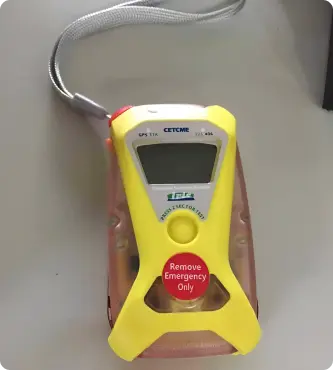
More information on PLB’s can be seen on the NZ Search & Rescue Beacons website. PLB’s require registration through this website.
More information on Garmin products can be seen on the Garmin website. If text functionality is used this will require a subscription.
More information on Spot products can be seen on the Track Me website. In addition to the device Spot devices require AAA batteries and a data plan.
WanderSearch (also known as Wandatrak in some regions) devices are small, robust radio-frequency signal transmitters that are worn by the person at risk.
They do not use the cellular network, so they operate in any place in New Zealand. The devices are worn continuously as they are shower proof and do not need charging. If the person does go missing who is wearing the device, they can be rapidly located by trained Police and/or Land Search and Rescue volunteers using specialist equipment to detect the specific radio-frequency number of the device.
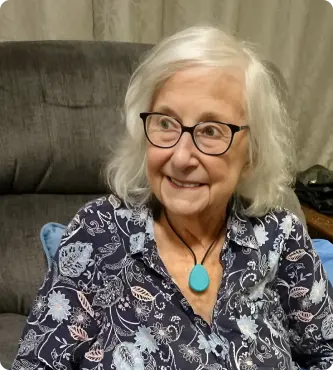
WanderSearch is delivered by not-for-profit organisations, working in partnership with NZ Police. The system does not monitor devices. The only time a person will be searched for using WanderSearch search equipment is when the police are notified that they have gone missing. Things to consider are:
Agreement is given by the person at risk at the time the WanderSearch device is issued.
The devices can be in the form of a wrist device / pendant / keyring (this can be clipped onto the person’s belt).
The person at risk will keep the device with them whenever they go out. Devices can be fitted to children so they cannot easily be removed or forgotten.
The battery is sealed within the device. It lasts for at least 6 months. After 6 months the old device is replaced for refurbishment and a new device issued. (For some users who tamper with the devices devices might be swapped sooner).
The devices are very hard wearing, showerproof and robust.
There are no external buttons or lights on the device. The person using the device cannot turn it off.
The cost varies with the group that runs the programme. However Charitable funding is being sought so funds are not a barrier to accessing a device.
WanderSearch is suitable for people that are for some reason not able to use other technologies successfully. For more information go to the WanderSearch website.
Using a WanderSearch device in addition to trying another technology can be effective, especially if you are working through which options work best for your situation.
Ways of alerting caregivers to a person leaving an area are becoming increasingly available. It is heavily recommended that if used, these are used in conjunction with one of the other above locating technologies.
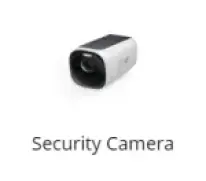

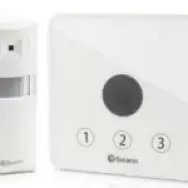
Door bell – sensors can be attached to doors/windows that activate an alarm/bell if they are opened. These are available from high street retailers with examples such as Eufy, Arlec and Aqura.
Pressure mats – these trigger an alert due to pressure from person stepping on the mat when walking through an area. Examples include Sensomat and Bellman & Symfon.
Cameras – These send an alert to a phone app when a human moves in front of the camera field as set up. There are door bell or standard cameras versions which are set up to household Wi-Fi, so there can be a delay if Wi-Fi is affected, or if the app receiving the alert is out of range. Cameras do require charging, depending on the camera purchased. Examples which are available at high street retailers include:
– Eufy cameras make smaller snippets of film locally stored.
– Ring camera options store snippets in a cloud but require an ongoing subscription.
What are you looking for?